
Introduction
You may think your document is clean, polished, and ready to send. But what if it’s quietly carrying hidden data you never intended to share?
Every time you create or edit a file in Microsoft Word, the document stores background information known as metadata. While this data helps with organization and collaboration, it can also expose private details without you realizing it. Names, company information, editing history, comments, and even hidden revisions may still exist inside the file.
In today’s digital world, where privacy and data protection matter more than ever, understanding Microsoft Word metadata risks is essential. Whether you’re a freelancer, business owner, student, or simply sharing family documents, this hidden layer can affect your personal security and professional credibility.
In this article, you’ll discover what metadata really is, why it can become a risk, real-world consequences, and practical steps to remove it before sharing your files. By the end, you’ll know exactly how to protect your documents and your privacy.
What Is Microsoft Word Metadata?
Before discussing the risks, let’s clarify what metadata actually means.
Metadata is information stored inside a file that describes details about it. In Microsoft Word documents, this may include:
- Author name
- Company or organization
- Date created and modified
- Editing history
- Comments and tracked changes
- Hidden text
- Template information
Most users never see this information because it isn’t displayed in the main document view. However, it is still embedded inside the file.
For example, imagine sending a contract draft. Even if you delete a paragraph, the previous version may still exist in the tracked changes history. If someone reviews the document properties, they could see more than you intended.
This is where document privacy becomes important. Many people assume that deleting visible content is enough. Unfortunately, that is not always true.
Now that you understand what metadata is, let’s explore why it can be risky.
Why Microsoft Word Metadata Can Be a Privacy Risk
Metadata is not inherently dangerous. In fact, it serves useful purposes during collaboration. The risk appears when documents are shared externally.
Exposure of Personal Information
If your document includes your full name, company, internal email address, or device information, that data becomes accessible to anyone who inspects the file properties.
For freelancers and remote workers, this can reveal unnecessary personal details. For businesses, it may expose internal team structures or naming conventions.
Unintended Disclosure of Edits
Tracked changes and comments often remain inside documents. Even if you “accept all changes,” earlier edits can sometimes leave traces if not properly cleaned.
Imagine sending a proposal to a client, unaware that internal pricing discussions remain hidden in comments. That scenario could damage trust instantly.
Legal and Compliance Risks
Organizations operating under privacy regulations must ensure they do not leak confidential data. Accidentally sharing metadata containing internal review notes could create legal complications.
As digital hygiene becomes more critical, removing metadata should be part of your routine workflow.
Common Real-World Scenarios Where Metadata Causes Problems
Sometimes risks feel abstract until you see real examples. Let’s look at everyday situations.
Business Proposals
A company sends a proposal to a potential partner. Inside the document metadata, the author field still lists a previous employee who left under difficult circumstances. This small detail raises questions about internal organization.
Academic Submissions
Students submit assignments without removing metadata. The file properties reveal collaboration details or past edits, potentially violating academic integrity policies.
Legal Documents
Law firms have faced public embarrassment after sending court filings with hidden revisions still accessible. Sensitive strategy notes were exposed simply because metadata was not cleaned.
Family Documents and Personal Files
Even personal documents can carry metadata that includes device names or user profiles. When sharing forms, resumes, or scanned files, this information may travel with them.
These examples show that metadata risks are not theoretical. They are practical and preventable.
How to Check Metadata in Microsoft Word
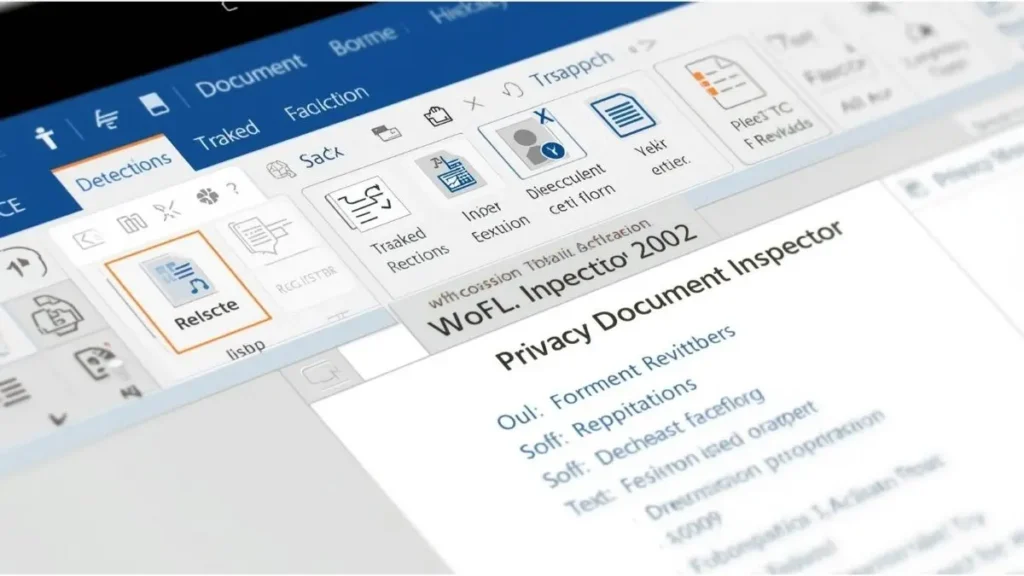
The good news is that Microsoft Word provides built-in tools to inspect metadata.
Here’s how you can check it:
- Open your document.
- Click on File.
- Select Info.
- Click Check for Issues.
- Choose Inspect Document.
The Document Inspector scans for:
- Comments
- Revisions
- Hidden text
- Document properties
- Embedded content
After the scan, Word shows what it finds and allows you to remove selected metadata elements.
This simple step can prevent serious privacy issues. However, many users skip it because they are unaware of its importance.
If you frequently share files externally, this should become a standard habit.
The Difference Between Visible Content and Hidden Data
One of the biggest misunderstandings about digital documents is the difference between what you see and what actually exists inside the file.
Think of a Word document like a house. The rooms you walk through represent visible text. But behind the walls, there are wires, pipes, and structural elements. Metadata works the same way.
Even if you delete a paragraph, older versions may still exist in:
- Revision history
- Comments
- Embedded properties
- AutoRecover information
Therefore, simply deleting text does not guarantee privacy.
To maintain strong document privacy, you must actively remove hidden elements.

Best Practices to Remove Microsoft Word Metadata
Now that you understand the risks, let’s focus on practical solutions.
1. Use Document Inspector Every Time
Before sharing a file externally, always run the Document Inspector. It takes less than a minute and significantly reduces exposure risk.
2. Accept and Turn Off Track Changes
Tracked changes are useful during editing but dangerous when left active. Always:
- Accept all changes
- Delete all comments
- Turn off Track Changes
3. Convert to PDF Carefully
Many people believe converting a Word document to PDF removes metadata automatically. That is not always true.
Some PDFs retain document properties unless cleaned separately. Always inspect PDFs before sending, especially if confidentiality matters.
For more details on document privacy practices, you can explore related guides in the Document Privacy section of this site.
4. Create a Clean Copy
If unsure, copy the visible content into a brand-new blank document and save it fresh. This often removes hidden structural data.
These habits form the foundation of strong digital hygiene.
The Role of Digital Hygiene in Document Security
Digital hygiene refers to everyday practices that protect your digital life.
Just as you lock your house at night, you should protect your documents before sending them. Removing metadata is one of the simplest yet most overlooked security steps.
Other helpful habits include:
- Keeping software updated
- Using secure cloud storage
- Reviewing file permissions
- Avoiding public WiFi when sending sensitive files
If you are interested in strengthening your online safety habits, check out our Digital Hygiene Tips category for more practical strategies.
By combining awareness with routine action, you reduce unnecessary risks dramatically.
How Businesses Can Implement Metadata Policies
For organizations, individual awareness is not enough. Clear internal policies are essential.
Companies should:
- Train employees on document privacy
- Create a checklist before external sharing
- Use automated metadata removal tools
- Establish standardized document templates
Small businesses often assume they are not targets. However, data leaks frequently occur due to simple human oversight, not cyberattacks.
Implementing structured processes ensures consistency and professionalism.
If your team frequently handles documents on desktop systems, you may also benefit from exploring our Desktop Tools Guide for workflow optimization insights.
Microsoft Word Metadata vs. Smartphone Documents
Many users edit Word files not only on desktops but also on smartphones and tablets.
Mobile editing apps can also generate metadata. While these platforms simplify access, they may add device information or sync details to files.
If you regularly handle documents on mobile devices, consider reviewing our Smartphone Privacy resources to understand how mobile apps manage file data.
As work becomes increasingly mobile, awareness across devices is crucial.
Metadata and Family Photo Safety
You might wonder how document metadata connects to photos.
Interestingly, the concept is similar. Photos contain metadata such as:
- Location data
- Device information
- Timestamp
If you’re sharing family documents that include embedded images, both document metadata and image metadata may travel together.
To better understand image-related privacy, visit our Family Photo Safety guides for additional protection tips.
This broader awareness strengthens your overall digital safety.
Final Thoughts: Small Steps, Big Protection
Microsoft Word metadata risks are often invisible, but they are real.
Hidden data inside documents can expose personal details, business insights, or confidential information. The good news is that preventing these risks does not require technical expertise.
By simply:
- Running Document Inspector
- Removing tracked changes
- Reviewing document properties
- Practicing consistent digital hygiene
You significantly reduce exposure.
Privacy is not about paranoia. It is about preparation. Small, consistent actions protect your reputation, your clients, and your personal data.
Before sending your next document, pause for a moment. Ask yourself: Have I checked what’s hidden inside this file?
Now we’d love to hear from you. Have you ever discovered hidden data inside a document you received? Share your experience in the comments and help others stay informed.

Igor Greco is the founder of GrecO Metadados and has spent the last several years researching how hidden file data — metadata — exposes personal information that most people never intended to share.
His interest in metadata privacy started with a frustrating realization: a photo he shared online still carried the exact GPS coordinates of where it was taken. That moment led him to dig deeper into EXIF data, document properties, and how everyday apps handle the information attached to your files — often without telling you.
Since then, Igor has tested dozens of metadata removal tools across Android, iPhone, Windows, and Mac, and written guides focused on three groups he cares most about: parents sharing photos of their kids, freelancers sending documents to clients, and everyday users who simply want more control over their digital footprint.
Privacy, in his view, isn’t about hiding. It’s about deciding — on your own terms — what information travels with your files.