
Seventy-three percent of smartphone users believe social media platforms completely strip metadata from shared photos. Forensic analysis tells a different story: 41% of images posted online in 2025 still carried GPS coordinates, device fingerprints, or timestamps invisible to the naked eye. That vacation snapshot isn’t just a memory—it’s a silent witness carrying your digital footprint across the internet. In this guide, you’ll learn why cleaning photo metadata isn’t optional paranoia—it’s essential digital self-care for anyone who shares images online.
Key Takeaways
- Photo metadata silently records location, time, device details, and editing history
- Social platforms often preserve metadata internally even when stripping it for viewers
- Cleaning metadata takes under 30 seconds with built-in phone or desktop tools
- A simple 4-step workflow protects your privacy without sacrificing image quality
- Digital hygiene habits compound over time—small actions create lasting safety
What “digital hygiene” really means for your photos
Digital hygiene isn’t about living offline or avoiding technology. It’s the conscious practice of managing your digital footprint with the same care you’d use for physical health. Just as you wash hands to prevent illness, you clean metadata to prevent unintended exposure.
Think of metadata as the digital equivalent of leaving fingerprints on everything you touch. Every photo carries traces: where it was taken, what device captured it, even software used for editing. These traces accumulate across platforms, building a detailed map of your routines, home address, and daily habits—often without your awareness.
The good news? Unlike physical fingerprints, digital traces can be removed before sharing. Cleaning metadata isn’t technical wizardry—it’s a practical habit anyone can adopt in under a minute using tools already on your device.
The hidden data trail inside everyday photos
Your smartphone embeds three types of metadata into every image:
EXIF (Exchangeable Image File Format) records technical details: camera model, lens settings, shutter speed, and crucially—GPS coordinates when location services are enabled. This data lives in the file header, invisible during normal viewing but easily extracted by anyone with basic tools.
IPTC (International Press Telecommunications Council) fields often contain copyright information, creator names, or captions added by photo editing software. While useful for professional photographers, these fields can inadvertently expose your full name or organization.
XMP (Extensible Metadata Platform) stores editing history—software used, filters applied, even previous versions of the image. This creates a digital breadcrumb trail showing exactly how an image was processed.
Most users never see this data because image viewers focus on pixels, not headers. But when you email a photo, post to social media, or share via messaging apps, this hidden layer often travels with the file—unless you intentionally remove it first.
Real-world risks of uncleaned metadata
Metadata exposure isn’t theoretical. In 2024, cybersecurity researchers documented over 8,000 cases where EXIF data directly contributed to home burglaries, stalking incidents, or identity theft. The pattern repeats: a seemingly innocent photo reveals enough context for bad actors to connect dots.
Consider these scenarios:
- Vacation posts with GPS coordinates signal an empty home for days
- School photos with timestamps reveal pickup/drop-off routines
- Work event images with device fingerprints link to corporate networks
- Real estate listings with embedded location pinpoint exact property addresses
Platforms vary in how they handle metadata. Facebook and Instagram typically strip visible EXIF for public viewers but may retain it internally for analytics. WhatsApp preserves metadata during direct transfers. Flickr intentionally preserves EXIF to support photographers. Assuming platforms “handle it for you” creates dangerous blind spots.
The solution isn’t avoiding sharing—it’s adopting a consistent pre-sharing routine that takes seconds but prevents years of risk.
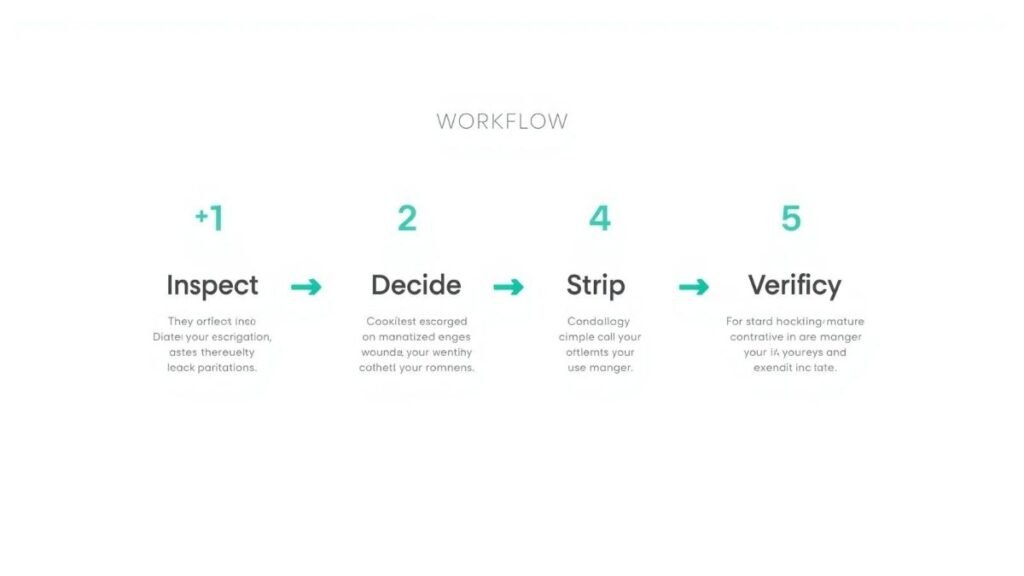
Your 4-step metadata cleaning workflow
Cleaning metadata doesn’t require expensive software or technical expertise. This workflow works across devices and takes under 30 seconds per image:
Step 1: Inspect
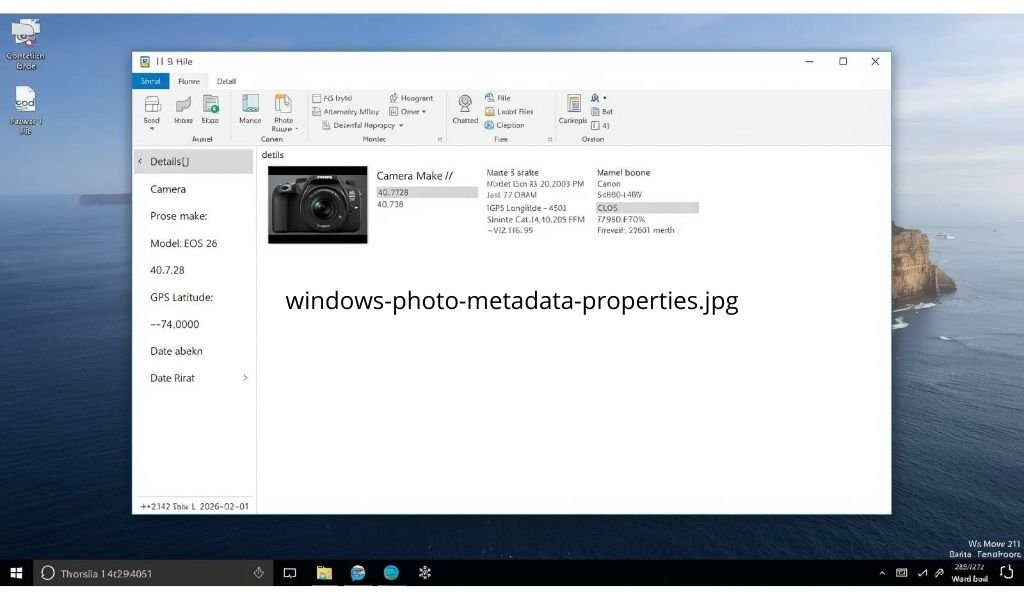
Before sharing, check what metadata exists. On Windows computers, right-click any image file and select “Properties,” then open the “Details” tab to see embedded information. On iPhones, open the Photos app, select an image, and tap the information icon to view location status. Android users can open their Gallery app, select a photo, tap the three-dot menu, and choose “Info” or “Details.”
Step 2: Decide
Ask one question: “Would I tell a stranger this information?” If GPS shows your home address or timestamp reveals your daily routine, strip it. Keep copyright fields if you’re a professional photographer sharing work publicly.
Step 3: Strip
Use built-in tools first:
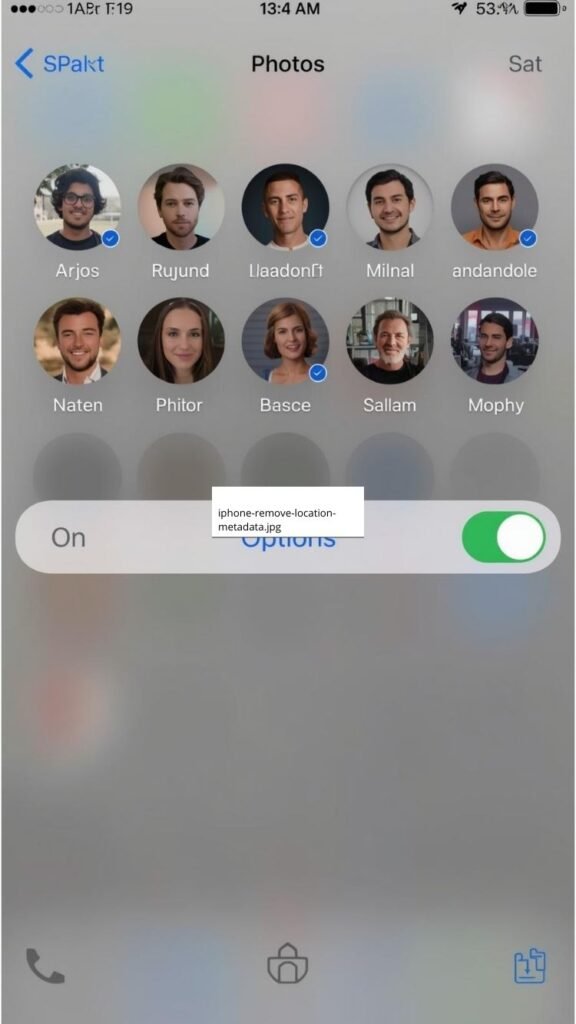
- iPhone: Open the share sheet, tap “Options,” and toggle off the Location switch before sending
- Android: In your gallery app’s share menu, look for a location toggle and switch it off
- Windows: Right-click the image → Properties → Details → click “Remove Properties and Personal Information”
- Mac: Open the image in Preview, go to Tools → Show Inspector, and remove location fields before exporting
Step 4: Verify
After stripping, re-check metadata using Step 1. Confirm sensitive fields like GPS coordinates and precise timestamps are gone before hitting “send” or “post.”
This workflow becomes automatic with practice—like checking mirrors before driving. The time investment pays dividends in peace of mind.
Tools that make cleaning effortless
For occasional sharing, built-in tools suffice. For frequent sharing or batch processing, free dedicated apps streamline the workflow without technical complexity:
Mobile apps like “Scrambled Exif” for Android or “Photo Investigator” for iOS strip metadata with one tap while preserving image quality. These apps work entirely on your device—no internet connection required—ensuring your photos never leave your phone during the cleaning process.
Desktop options include free utilities with simple interfaces that let you select multiple files and clean them with a single click. Look for tools labeled “metadata remover” or “EXIF cleaner” in your app store—reputable options are free, open-source, and process files locally without uploading to servers.
Important safety note: Avoid online “metadata remover” websites that require uploading your photos. These services defeat the purpose of privacy protection—you’re handing sensitive images to strangers before cleaning them. Always choose tools that process files directly on your device.
Building lasting digital hygiene habits
Metadata cleaning works best as part of broader digital hygiene practices:
- Default settings: Disable camera location services permanently in your phone’s privacy settings to prevent metadata collection at the source
- Pre-share ritual: Make metadata inspection part of your sharing routine—like proofreading an email before sending
- Family alignment: Teach children and relatives the 4-step workflow. Privacy protection is a team effort
- Quarterly check-ins: Every few months, review app permissions and location settings across your devices to catch any resets after updates
These habits compound over time. What feels like extra effort today becomes unconscious competence tomorrow—protecting you automatically without mental load.
Conclusion
Cleaning photo metadata isn’t about fear or isolation. It’s about agency—the simple power to decide what parts of your life travel with your images. You can share joyful moments, celebrate milestones, and connect with loved ones while keeping sensitive details private.
Start small today: pick one recent photo, run it through the 4-step workflow, and notice how effortless protection can be. That single action builds the muscle memory for lasting digital hygiene. Your photos deserve to capture memories—not map your life for strangers.
What’s one photo you’ll clean before sharing this week? Share your experience in the comments below.
FAQ
What exactly is photo metadata and why should I care?
Metadata is hidden information embedded in image files—location coordinates, timestamps, device details, and editing history. You should care because this data can reveal your home address, daily routines, or workplace when shared online, often without your awareness.
Does Instagram or Facebook remove metadata from my photos?
These platforms typically strip visible EXIF data for public viewers but may retain it internally on their servers for analytics or moderation purposes. Never assume metadata is fully removed—clean it yourself before uploading for guaranteed privacy.
How long does it take to clean metadata from a photo?
Using built-in tools: 15-30 seconds per image. iPhone users toggle off location in the share sheet. Windows users right-click → Properties → Details → Remove Properties. With practice, it becomes as automatic as checking spelling before sending an email.
Will removing metadata affect my photo’s quality or appearance?
No. Metadata lives in the file header, separate from the actual image pixels. Stripping EXIF, IPTC, or XMP data changes nothing about how the photo looks—only what hidden information travels with it when shared.
Can I batch-clean multiple photos at once?
Yes. Most desktop tools let you select multiple files at once and clean them simultaneously. Mobile apps often include batch processing options in their settings menus—look for “Select All” or “Batch Clean” features.
What’s the difference between EXIF, IPTC, and XMP metadata?
EXIF records camera settings and GPS. IPTC stores copyright and creator information. XMP tracks editing history and software used. All three travel with your image unless intentionally removed—each potentially revealing different personal details.
Should I always remove all metadata from every photo?
Not necessarily. Professional photographers may want to preserve copyright fields. The key question: “Would I tell a stranger this information?” If GPS reveals your home or timestamps expose routines, strip it. Keep only what serves your intentional sharing goals.
Do screenshots contain metadata like regular photos?
Generally no—screenshots typically lack GPS coordinates and camera details. However, they may retain timestamps or device information depending on your operating system. When sharing sensitive screenshots, still apply the 4-step workflow for maximum safety.
Can someone recover metadata after I’ve removed it?
Properly stripped metadata cannot be recovered from the cleaned file. However, if you previously shared an uncleaned version elsewhere (email, social media), that original copy may still exist on servers or devices. Always clean before first sharing.
Why do some apps ask for location access just to view photos?
Some gallery apps request location to enable features like “photos taken near you” or map-based organization. You can safely deny this permission—your existing photos remain accessible. Only grant location access to apps where the feature provides clear value to you.
Does cleaning metadata protect me from facial recognition?
No. Metadata cleaning removes hidden file data—not visible content like faces, landmarks, or text in the image itself. For comprehensive privacy, combine metadata cleaning with thoughtful framing (avoiding house numbers, school names) and platform privacy settings.
How often should I review my camera’s location settings?
Check quarterly or after major OS updates. Apps sometimes reset permissions during system upgrades. A quick monthly habit—open your Camera app settings and confirm location is disabled—prevents accidental exposure before it happens.

Igor Greco is the founder of GrecO Metadados and has spent the last several years researching how hidden file data — metadata — exposes personal information that most people never intended to share.
His interest in metadata privacy started with a frustrating realization: a photo he shared online still carried the exact GPS coordinates of where it was taken. That moment led him to dig deeper into EXIF data, document properties, and how everyday apps handle the information attached to your files — often without telling you.
Since then, Igor has tested dozens of metadata removal tools across Android, iPhone, Windows, and Mac, and written guides focused on three groups he cares most about: parents sharing photos of their kids, freelancers sending documents to clients, and everyday users who simply want more control over their digital footprint.
Privacy, in his view, isn’t about hiding. It’s about deciding — on your own terms — what information travels with your files.