

Introduction
Instagram is one of the most widely used platforms for sharing photos and videos. Every day, millions of users upload content without thinking about what technical information might be attached to their images.
But behind every digital photo, there is hidden data known as metadata.
This raises an important question: Does Instagram remove metadata when you upload a photo?
Understanding how Instagram handles metadata is not about fear or speculation. It is about digital awareness. When you know how platforms process your files, you can make informed decisions about what you share and how you share it.
In this complete guide, you will learn:
- What metadata is
- What Instagram receives when you upload a photo
- Whether Instagram removes EXIF data
- The difference between metadata and visible location tags
- How to manage metadata before posting
Let’s start with the basics.
What Is Metadata in Photos?
Metadata is often described as “data about data.” In photography, metadata refers to technical information stored inside the image file.
Most smartphones automatically embed metadata when you take a picture.
For example, a photo may contain:
- Date and time it was taken
- Camera model
- Exposure settings
- Image resolution
- Editing software used
- GPS coordinates (if location services are enabled)
The most common format for image metadata is called EXIF (Exchangeable Image File Format).
If you want a detailed explanation of how EXIF works, read our article:
👉 https://grecometadados.com/what-is-exif-data/
Understanding EXIF helps clarify what may or may not remain after uploading to social media.
What Metadata Does Instagram Receive?
When you upload a photo to Instagram, the platform initially receives the original file from your device.
That file may include:
Technical Information
- Camera brand and model
- ISO settings
- Aperture and shutter speed
- File format
Device Information
- iPhone or Android model
- Editing app used
- Software version
GPS Location Data
- Latitude
- Longitude
- Altitude
If location services were enabled when the photo was taken, GPS metadata may be embedded automatically.
You can learn more about GPS-specific data in our guide:
👉 https://grecometadados.com/what-is-gps-metadata-in-photos/
However, what Instagram receives is not necessarily what remains visible after processing.
What Happens When You Upload a Photo to Instagram?
Instagram does not simply display your original file.
Instead, the platform processes it.
This typically includes:
- Uploading the original file to Instagram’s servers
- Compressing the image
- Resizing it
- Re-encoding it into a new format
This process is known as re-encoding.
During re-encoding, most embedded EXIF metadata is stripped from the publicly accessible version of the image.
This is a key detail.
The file that viewers see and download is not the exact same file you uploaded.
Does Instagram Remove EXIF Metadata?
Short Answer
In most cases, yes.
Instagram typically removes embedded EXIF metadata — including GPS coordinates — from the publicly accessible version of uploaded images.
If someone downloads your photo directly from Instagram and inspects it using metadata tools, they usually will not find the original EXIF block.
This includes:
- GPS location
- Camera model
- Exposure settings
- Device details
However, it is important to understand the distinction between public metadata and internal platform data processing.
Does Instagram Remove GPS Location Data?
Embedded GPS metadata is generally removed during the image processing stage.
But there is an important difference between:
- Hidden GPS metadata
- Visible location tags
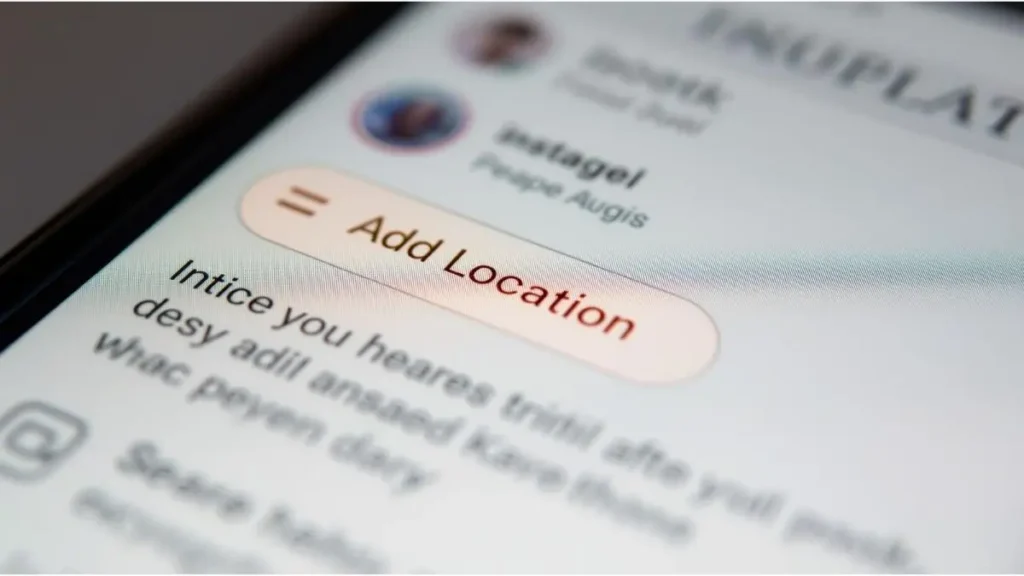
If you manually add a location tag when posting, that information becomes publicly visible on your post.
This is not embedded EXIF data.
It is a feature you intentionally select inside the Instagram interface.
So even if EXIF GPS coordinates are removed, adding a location tag still shares your chosen location.
Does Instagram Keep Metadata Internally?
While Instagram removes most EXIF data from the public version of your image, platforms may retain certain information internally for operational purposes.
For example:
- Upload timestamps
- Account association
- Device interaction logs
This is separate from embedded EXIF data.
It refers to how platforms manage user accounts and content delivery systems.
The important distinction is this:
- Publicly downloadable image files usually do not retain original EXIF metadata.
- Internal platform systems may process and store data according to their policies.
Understanding this difference prevents confusion.
What About Instagram Stories and Reels?
Stories and Reels follow similar processing workflows.
Uploaded content is:
- Compressed
- Reformatted
- Re-encoded
Just like feed posts, the publicly accessible versions typically do not retain original EXIF metadata.
However, if you add:
- Location stickers
- Tagged places
- Business tags
Those elements are intentionally visible.
They are not hidden metadata. They are public labels.
Can Someone Extract Location Data from Instagram Photos?
Under normal conditions, downloading a photo directly from Instagram does not reveal original GPS coordinates.
Because the platform generates a new file, the original EXIF metadata is typically stripped.
However, location can still be inferred from:
- Recognizable landmarks
- Captions
- Hashtags
- Tagged businesses
Metadata removal does not erase visible context within the image.
For additional insight into safer sharing practices, see:
👉 https://grecometadados.com/share-photos-safely-social-media/
Why Does Instagram Remove Metadata?
There are several practical reasons.
Image Optimization
Removing metadata reduces file size slightly.
Smaller files load faster and improve user experience.
Platform Standardization
Instagram applies consistent formatting across millions of uploads daily.
Re-encoding ensures compatibility.
Reduced Technical Exposure
Stripping metadata prevents unintended exposure of device-level technical details.
While optimization is the primary reason, reduced metadata exposure is a beneficial outcome.
Should You Remove Metadata Before Uploading?
Even though Instagram removes most EXIF data, many users choose to remove metadata before uploading.
Why?
Because you may:
- Share the same image on multiple platforms
- Send it via messaging apps
- Upload it to websites
Different platforms handle metadata differently.
For example, if you are using an iPhone, you can review our step-by-step guide here:
👉 https://grecometadados.com/remove-exif-data-iphone/
Cleaning metadata before posting gives you consistent control regardless of platform behavior.

Metadata vs. Location Tags: Understanding the Difference
This is one of the most misunderstood aspects of Instagram privacy.
Embedded Metadata
- Hidden inside the image file
- Automatically added by your device
- Usually stripped by Instagram
Location Tag
- Manually added in the Instagram interface
- Publicly visible
- Not part of EXIF metadata
Removing EXIF data does not remove visible location tags.
You control those separately.
How to Check Metadata Before Posting
Checking metadata takes only seconds.
On iPhone:
- Open Photos
- Tap the info (i) icon
- Review location details
On Android:
- Open Google Photos
- Swipe up
- Review the location section
On desktop:
You can inspect file properties using Windows or macOS tools.
See our guide:
👉 https://grecometadados.com/how-to-check-metadata-windows-mac/
Making this a habit increases digital awareness.
Disabling Camera Location for Future Photos
If you prefer not to embed GPS data in new photos, you can disable camera location access.
On iPhone:
- Settings
- Privacy & Security
- Location Services
- Camera
- Adjust permissions
On Android:
- Settings
- Location
- App permissions
- Camera
Disabling location prevents GPS metadata from being added at the source.
Common Misconceptions About Instagram and Metadata
Let’s clarify a few frequent misunderstandings.
“Instagram Publishes My Exact GPS Coordinates”
Publicly accessible image files typically do not retain original EXIF GPS metadata.
“If Metadata Is Removed, I Am Completely Anonymous”
Metadata removal reduces technical exposure.
It does not remove visible context in your image.
“All Social Media Platforms Handle Metadata the Same Way”
Each platform has its own processing workflow.
Understanding differences improves digital literacy.
How Metadata Fits into Your Digital Footprint
Metadata is just one layer of your digital presence.
Your digital footprint also includes:
- Profile information
- Comments
- Tags
- Captions
- Public interactions
Reducing metadata exposure is helpful.
But thoughtful sharing remains equally important.
Final Answer: Does Instagram Remove Metadata?
In most cases, Instagram removes embedded EXIF metadata — including GPS location — from the publicly accessible version of uploaded photos.
The platform compresses and re-encodes images, generating a new file that typically does not retain original metadata.
However:
- Visible location tags remain public
- Context inside images remains visible
- Internal data processing may still occur according to platform policies
Understanding how this works allows you to make informed decisions.
Digital awareness does not require technical expertise.
It simply means knowing what happens to your files after you upload them.
Before your next post, take a moment to review your image details and decide what information you want to share.
Small habits can make a meaningful difference in how you manage your online presence.

Igor Greco is the founder of GrecO Metadados and has spent the last several years researching how hidden file data — metadata — exposes personal information that most people never intended to share.
His interest in metadata privacy started with a frustrating realization: a photo he shared online still carried the exact GPS coordinates of where it was taken. That moment led him to dig deeper into EXIF data, document properties, and how everyday apps handle the information attached to your files — often without telling you.
Since then, Igor has tested dozens of metadata removal tools across Android, iPhone, Windows, and Mac, and written guides focused on three groups he cares most about: parents sharing photos of their kids, freelancers sending documents to clients, and everyday users who simply want more control over their digital footprint.
Privacy, in his view, isn’t about hiding. It’s about deciding — on your own terms — what information travels with your files.