

Introduction
When you take a photo with your smartphone, you’re capturing more than just an image. Hidden beneath the surface, many photos contain additional information known as metadata. One specific type of metadata — GPS metadata — can store the exact location where the picture was taken.
For many people, this feature is convenient. It helps organize travel memories, create location-based albums, and sort images by place. However, understanding what GPS metadata in photos actually includes is essential for making informed decisions about sharing and privacy.
In this guide, you’ll learn:
- What GPS metadata is
- How it gets added to your photos
- Where to find it on your devices
- When it can be helpful
- When you may want to remove it
Let’s break it down in simple terms.
What Is GPS Metadata?
GPS metadata refers to geographic location information embedded inside a photo file. It is part of a broader category of image information known as EXIF data (Exchangeable Image File Format).
If you’re unfamiliar with EXIF, you may want to read our full explanation in What Is EXIF Data and Why Should You Care?
GPS metadata typically includes:
- Latitude
- Longitude
- Altitude (sometimes)
- Date and time the photo was taken
In practical terms, this means a photo can contain coordinates precise enough to identify a street address.
This information is invisible when viewing the image normally. It only appears when inspecting the file’s properties.
How Does GPS Metadata Get Added to Photos?
Most modern smartphones have built-in GPS functionality. When your camera app has location services enabled, the device automatically records your location at the moment the photo is taken.
This process happens instantly and silently.
Here’s how it works:
- Your phone determines your location using GPS satellites, Wi-Fi networks, or cellular data.
- The camera app requests access to that location.
- The coordinates are embedded into the image file.
The result? Every photo taken with location enabled contains geographic metadata.
Many users enable this feature without realizing it.
Where Can You See GPS Metadata?
GPS metadata is not visible in the image itself, but you can view it through your device’s file inspection tools.
On iPhone
- Open the Photos app
- Select an image
- Swipe up or tap the “i” icon
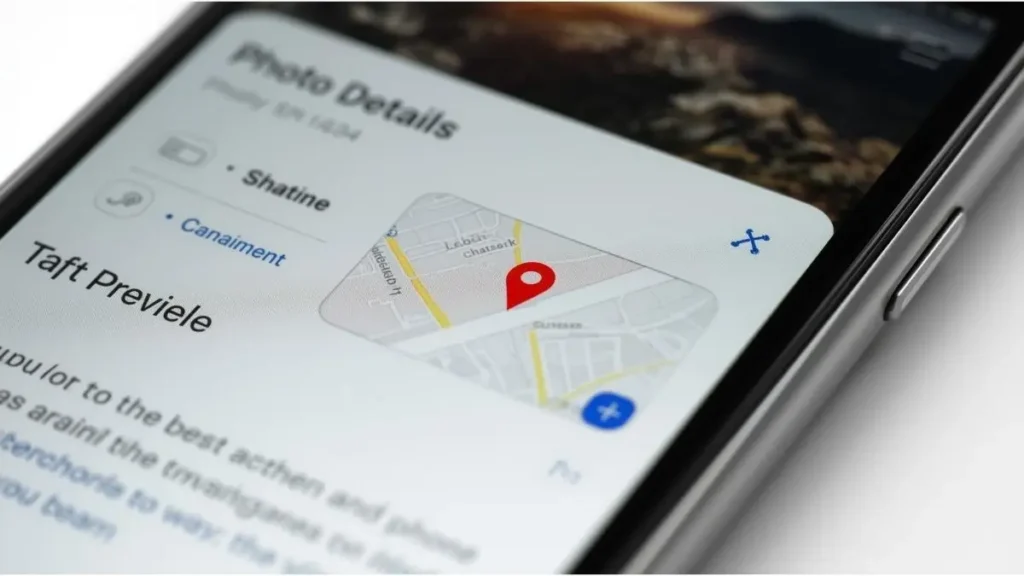
If GPS data exists, you’ll see a small map preview below the image.
For step-by-step removal instructions, see our guide on How to Remove EXIF Data on iPhone.
On Android
- Open Google Photos
- Select an image
- Tap the three dots or swipe up
If location tagging is enabled, the coordinates or map preview will appear.
On Windows or Mac
If the image is transferred to a computer, you can check GPS metadata using:
- Windows File Properties → Details tab
- macOS Preview → Show Inspector → GPS tab
For detailed desktop instructions, refer to How to Check Metadata on Windows and Mac.
Why Is GPS Metadata Useful?
GPS metadata is not inherently negative. In fact, it provides several practical benefits.
Automatic Photo Organization
Many photo apps use location data to group pictures by city, country, or landmark.
This makes it easy to search for “New York trip” or “Beach vacation.”
Travel Journaling
Location tagging helps recreate travel timelines.
Apps can build memory slideshows based on time and place.
Professional Photography
For photographers, GPS data can document shoot locations, which may be helpful for portfolio organization or licensing records.
In these contexts, GPS metadata enhances convenience and organization.
When Can GPS Metadata Become a Concern?
The issue arises when photos are shared publicly without awareness of the embedded location data.
Social Media Sharing
Some platforms automatically strip metadata. Others may preserve parts of it.
If you’re unsure how platforms handle this, review our article on How to Share Photos Safely on Social Media: A Complete Guide.
Selling or Sharing Devices
Photos stored on old devices may contain historical location records.
Posting Real-Time Images
Sharing photos taken at home or at a private location could unintentionally reveal patterns.
Again, the key word here is awareness — not fear.
How Accurate Is GPS Metadata?
Modern smartphones can be highly precise.
In urban areas, GPS accuracy may fall within a few meters. Combined with Wi-Fi positioning, accuracy improves even further.
That means a photo could reveal:
- Exact building
- Street address
- Apartment complex
However, accuracy depends on signal strength and environmental factors.
What Is Included in GPS Metadata?
Beyond basic coordinates, GPS metadata may include:
Latitude and Longitude
These are numerical coordinates representing position on Earth.
Altitude
Height above sea level (less common but possible).
Direction (Image Bearing)
The direction the camera was facing when the photo was taken.
Timestamp
The exact time the location was recorded.
Understanding these elements helps clarify what’s actually stored.
Does Every Photo Contain GPS Metadata?
No.
GPS metadata is only added if:
- Location services are enabled
- The camera app has permission to access location
- The device successfully determined your position
Photos taken with:
- Location disabled
- Airplane mode active
- Older cameras without GPS
Will not contain GPS metadata.
How to Disable GPS Metadata on Your Phone
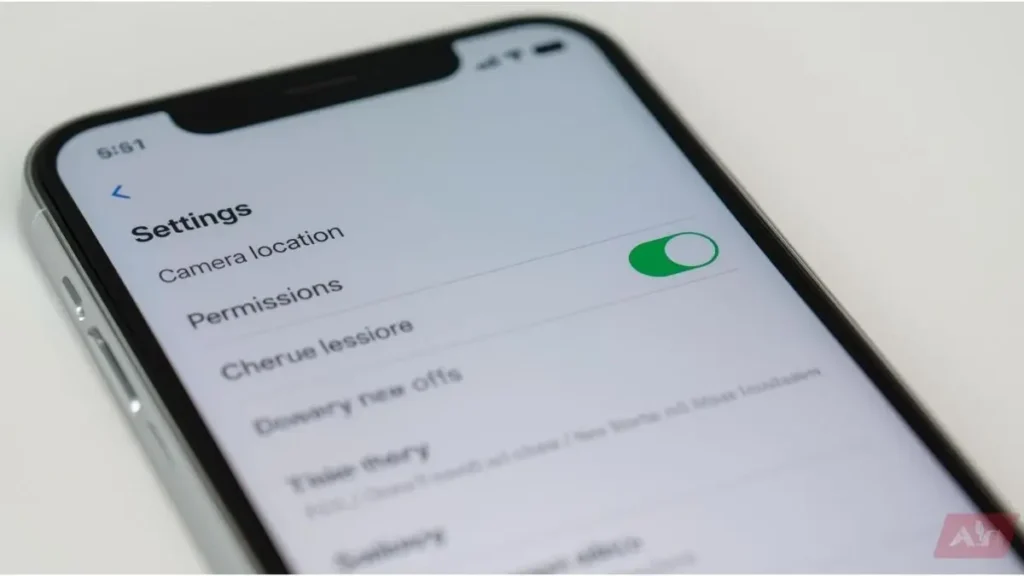
If you prefer not to include location data in new photos, you can disable it.
On iPhone
- Go to Settings
- Tap Privacy & Security
- Tap Location Services
- Select Camera
- Choose “Never” or “While Using” and disable precise location
On Android
- Go to Settings
- Tap Location
- Select App Location Permissions
- Choose Camera
- Adjust permissions
This prevents future photos from including GPS metadata.
What Happens When You Upload Photos Online?
Different platforms handle metadata differently.
Some remove:
- GPS coordinates
- Camera information
Others may compress images, which can remove some metadata automatically.
However, not all platforms guarantee complete metadata stripping.
If privacy is a priority, consider removing GPS metadata before uploading.
How to Remove GPS Metadata from Existing Photos
If you want to remove location data from photos already taken, you can:
- Use built-in phone editing tools
- Use desktop software
- Use online metadata cleaning tools
Our detailed guide on Best Free Tools to Clean EXIF Data from Images (2026) explores reliable options.
Removing metadata does not alter the visual image. It only deletes hidden file information.
GPS Metadata vs. Digital Footprint
GPS metadata is one piece of a larger concept called your digital footprint.
Your digital footprint includes:
- Social media activity
- Website interactions
- Online purchases
- Uploaded images
If you’re interested in the broader topic, our upcoming guide on digital footprint explores this concept in more detail.
GPS metadata contributes to location-based data points within that footprint.
Common Misconceptions About GPS Metadata
Let’s clarify a few misunderstandings.
“All Photos Publicly Reveal My Address”
Not necessarily. It depends on whether GPS data is embedded and whether it is preserved after sharing.
“Removing Metadata Ruins Image Quality”
Removing metadata does not affect image resolution or clarity.
“Only Smartphones Add GPS Data”
Some advanced digital cameras also include built-in GPS.
Understanding the facts helps avoid confusion.
Building Smart Photo Sharing Habits
Instead of worrying about metadata, build habits that increase awareness.
Before sharing:
- Check if location services are enabled
- Review photo details
- Remove GPS data if needed
- Be mindful of recurring patterns
Small adjustments improve digital control without reducing convenience.
Why GPS Metadata Awareness Matters in 2026
As technology becomes more integrated into daily life, location-based services continue to expand.
From automatic travel albums to smart home integration, GPS data supports many helpful features.
The goal is not to eliminate technology — but to understand it.
Knowing what GPS metadata in photos includes allows you to choose when to keep it and when to remove it.
Conclusion
GPS metadata in photos is simply location information embedded inside an image file. It records coordinates, timestamps, and sometimes additional geographic details.
For many users, this feature enhances organization and convenience. But before sharing photos publicly or professionally, reviewing location data ensures you understand what information may be attached.
The good news? Checking and managing GPS metadata is simple. With built-in tools on smartphones, Windows, and macOS, you can review or remove location details in just a few steps.
Have you ever checked whether your photos contain GPS metadata? Take a moment today to review one image’s details — awareness is the first step toward smarter digital habits.

Igor Greco is the founder of GrecO Metadados and has spent the last several years researching how hidden file data — metadata — exposes personal information that most people never intended to share.
His interest in metadata privacy started with a frustrating realization: a photo he shared online still carried the exact GPS coordinates of where it was taken. That moment led him to dig deeper into EXIF data, document properties, and how everyday apps handle the information attached to your files — often without telling you.
Since then, Igor has tested dozens of metadata removal tools across Android, iPhone, Windows, and Mac, and written guides focused on three groups he cares most about: parents sharing photos of their kids, freelancers sending documents to clients, and everyday users who simply want more control over their digital footprint.
Privacy, in his view, isn’t about hiding. It’s about deciding — on your own terms — what information travels with your files.