

Introduction
Every day, we browse websites, send messages, upload photos, and interact on social media. Most of these actions feel routine. Yet behind each click, small pieces of information are being shared.
Online privacy is not about avoiding technology. It is about understanding how digital systems work and building simple habits that reduce unnecessary exposure.
You do not need advanced technical knowledge to protect your personal information. In most cases, basic online privacy habits are enough to significantly improve your digital awareness.
In this guide, you will learn:
- What online privacy really means
- Why small habits matter
- Simple daily practices to reduce digital exposure
- How to manage photos, apps, and accounts more safely
- How privacy connects to your digital footprint
Let’s begin with a simple definition.
What Is Online Privacy?
Online privacy refers to your ability to control how your personal information is collected, used, and shared on the internet.
This information may include:
- Your name
- Email address
- Location
- Photos
- Browsing activity
- Device information
Not all data collection is harmful. Many services require basic data to function.
The goal is not to eliminate all data sharing.
The goal is awareness and control.
Why Basic Privacy Habits Matter
Some people assume privacy only matters for professionals, public figures, or businesses.
In reality, everyone has a digital footprint.
Your digital footprint includes:
- Social media posts
- Tagged photos
- Online purchases
- App permissions
- Website accounts
Small habits reduce unnecessary exposure and improve long-term digital hygiene.
If you have read our article on Clean Photo Metadata, you already understand how hidden information can be attached to files:
👉 https://grecometadados.com/clean-photo-metadata/
Privacy is often about prevention, not reaction.
Habit 1: Review Privacy Settings on Social Media
Social platforms frequently update their settings.
Many users never review them after creating an account.
Take time to check:
- Who can see your posts
- Who can send you messages
- Who can tag you
- Whether your profile appears in search engines
On Instagram, for example, understanding how metadata and location tags work is important. You can read more here:
👉 https://grecometadados.com/does-instagram-remove-metadata/
Small adjustments can significantly reduce public exposure.
Habit 2: Be Mindful of Photo Sharing
Photos often contain more than visible content.
They may include:
- GPS coordinates
- Device information
- Date and time
Before sharing images publicly, consider checking their metadata.
If you’re unsure how EXIF works, review:
👉 https://grecometadados.com/what-is-exif-data/
You do not need to remove metadata from every image.
But knowing when it matters is helpful.
Habit 3: Disable Unnecessary Location Access
Many apps request location permissions by default.
Ask yourself:
- Does this app truly need my precise location?
- Could approximate location be enough?
For camera apps, disabling GPS prevents location data from being embedded into photos.
If you use Android devices, you may find our guide helpful:
👉 https://grecometadados.com/disable-gps-android-camera/
Limiting permissions reduces passive data collection.
Habit 4: Use Strong and Unique Passwords
Password reuse is one of the most common digital risks.
Basic improvements include:
- Using longer passwords
- Avoiding predictable phrases
- Not reusing the same password across platforms
Consider using a password manager to generate and store unique credentials.
This is a foundational privacy habit that requires minimal effort once set up.
Habit 5: Enable Two-Factor Authentication (2FA)
Two-factor authentication adds an extra layer of protection.
Even if someone learns your password, they cannot access your account without the second verification step.
Most major platforms support:
- SMS codes
- Authentication apps
- Security keys
Enabling 2FA is one of the simplest ways to strengthen account security.
Habit 6: Keep Devices and Apps Updated
Software updates often include:
- Security patches
- Privacy improvements
- Bug fixes
Delaying updates may leave known vulnerabilities unpatched.
Enable automatic updates when possible.
This reduces the need to manually track security changes.
Habit 7: Be Careful with Public Wi-Fi
Public networks in cafes, airports, and hotels are convenient.
However, they may not always be secure.
Basic precautions include:
- Avoiding sensitive transactions on public Wi-Fi
- Logging out after sessions
- Using secure websites (HTTPS)
These small steps reduce unnecessary exposure.
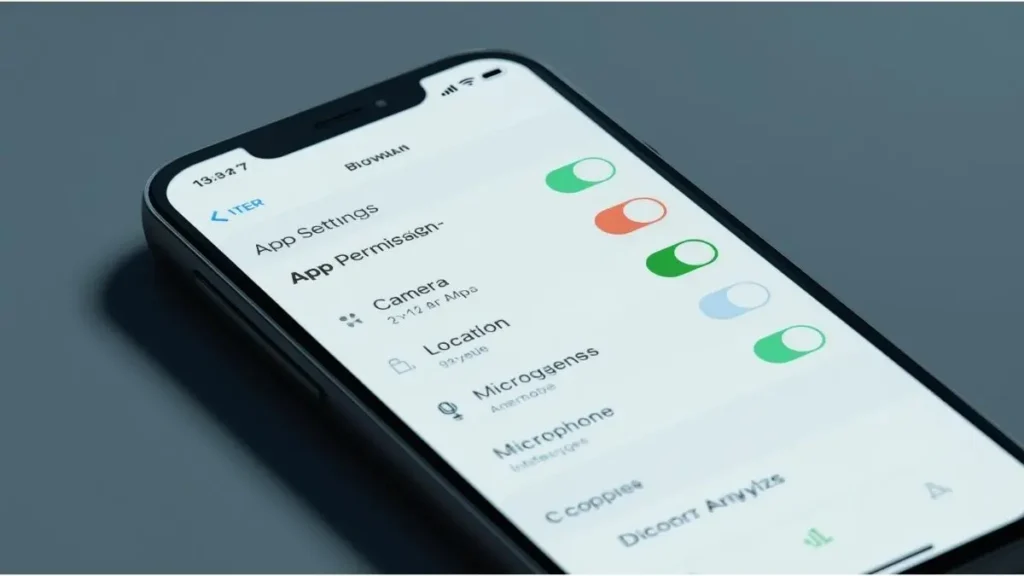
Habit 8: Review App Permissions Regularly
Many apps request access to:
- Camera
- Microphone
- Contacts
- Storage
Over time, you may forget which apps have which permissions.
Review them periodically in your device settings.
Remove permissions that are no longer necessary.
Habit 9: Think Before Posting Personal Details
Sharing is a core part of social media.
However, consider avoiding:
- Full home addresses
- Travel plans before departure
- Financial details
- Personal identification numbers
Digital awareness is not about secrecy.
It is about timing and context.
Habit 10: Understand Your Digital Footprint
Your digital footprint accumulates over time.
Even small posts contribute to a broader profile of your online presence.
To better understand how metadata fits into this concept, review our article:
👉 https://grecometadados.com/what-is-digital-footprint/
Building privacy habits early makes long-term management easier.
Common Misconceptions About Online Privacy
“Only People with Something to Hide Need Privacy”
Privacy is about personal boundaries, not secrecy.
“My Account Is Small, So It Doesn’t Matter”
Digital exposure is not limited to large audiences.
Data can travel beyond your immediate network.
“Privacy Requires Advanced Technical Skills”
Most improvements involve simple settings adjustments and mindful habits.
Building a Sustainable Privacy Routine
Online privacy does not require constant monitoring.
Instead, create small routines:
- Review account settings every few months
- Check photo metadata before public uploads
- Audit app permissions twice a year
- Update passwords annually
Simple schedules reduce mental load.
Privacy for Families and Shared Devices
If you share devices with family members:
- Create separate user profiles
- Enable parental controls when appropriate
- Discuss responsible sharing habits
Teaching privacy basics early helps younger users build responsible digital behavior.
Online Privacy in 2026 and Beyond
As digital services evolve, data collection practices continue to develop.
At the same time, devices now offer more built-in privacy controls than ever before.
The balance lies in user awareness.
Technology changes.
Basic habits remain effective.
Conclusion
Online privacy does not require extreme measures or complex tools.
It begins with small, consistent actions:
- Reviewing privacy settings
- Managing app permissions
- Being mindful of photo metadata
- Using strong authentication
- Thinking before sharing
These basic online privacy habits support a more informed and controlled digital presence.
You do not need to change everything at once.
Start with one habit today.
Over time, small improvements create meaningful awareness — and that awareness is the foundation of responsible digital living.

Igor Greco is the founder of GrecO Metadados and has spent the last several years researching how hidden file data — metadata — exposes personal information that most people never intended to share.
His interest in metadata privacy started with a frustrating realization: a photo he shared online still carried the exact GPS coordinates of where it was taken. That moment led him to dig deeper into EXIF data, document properties, and how everyday apps handle the information attached to your files — often without telling you.
Since then, Igor has tested dozens of metadata removal tools across Android, iPhone, Windows, and Mac, and written guides focused on three groups he cares most about: parents sharing photos of their kids, freelancers sending documents to clients, and everyday users who simply want more control over their digital footprint.
Privacy, in his view, isn’t about hiding. It’s about deciding — on your own terms — what information travels with your files.