
Introduction
You take a photo. You share it with a friend, upload it to social media, or send it to a client. It looks harmless. But hidden inside that image could be something far more revealing than you realize: your exact location.
Modern Android smartphones automatically embed metadata into photos. This includes details such as the date, device model, camera settings, and often GPS coordinates. While this feature can be useful for organizing memories, it can also create privacy risks when images are shared publicly or with unknown recipients.
For freelancers, remote workers, families, and everyday users, understanding Android photo safety is no longer optional. Turning off GPS tagging in your camera app is a simple step that can significantly reduce your digital exposure.
In this guide, you will learn how GPS tagging works, why it matters, how to disable it on Android devices, and what additional steps you can take to protect your personal data. By the end, you will have a practical and sustainable approach to managing photo privacy.
What Is GPS Tagging in Android Photos?
GPS tagging, also known as geotagging, is the process of embedding geographic coordinates into a photo file. When location services are enabled, your Android device can store the exact latitude and longitude where the image was captured.
This information becomes part of the image’s metadata, often stored in EXIF data. EXIF stands for Exchangeable Image File Format, and it contains technical information such as:
- Device model
- Camera settings
- Date and time
- Software version
- GPS coordinates
From a technical perspective, this data helps photo apps organize pictures by location. You can search for images taken in a specific city or view memories on a map. However, when shared externally, those same coordinates can reveal your home address, workplace, or frequent locations.
Understanding this dual nature is the first step toward safer digital habits.
Why GPS Metadata Can Be a Privacy Risk
GPS tagging is not inherently dangerous. The risk arises when location-enabled photos leave your personal device.
Exposure of Home Address
If you take a photo inside your home and share it publicly, the embedded coordinates may reveal your residential location. Even if the image does not show your street, the metadata can provide exact mapping data.
Pattern Tracking
Repeatedly sharing geotagged images can allow someone to track patterns. For example:
- Daily gym visits
- School drop-off locations
- Travel routines
- Client meeting spots
Over time, these patterns can expose sensitive lifestyle information.
Freelancers and Client Confidentiality
If you are a freelancer working from home or visiting client locations, geotagged photos may unintentionally reveal business-related locations. This can create unnecessary exposure for both you and your clients.
For a deeper understanding of hidden data inside files, you may also want to read our guide on Microsoft Word Metadata Security Risks.
Digital privacy is often about invisible layers of information, and photos are no exception.
How Android Stores Location Data in Images
When location services are enabled and camera permissions allow access, your Android device attaches GPS coordinates at the moment the photo is taken.
The process involves:
- The device detecting your location via GPS, WiFi, or cellular networks.
- The camera app embedding the coordinates into EXIF metadata.
- The image file storing this information permanently unless removed.
This means that even if you later disable location services, previously taken photos may still contain embedded GPS data.
It is important to recognize that disabling tagging now does not automatically clean older images. We will address that later in this guide.
How to Turn Off GPS Tagging in the Android Camera App
The exact steps may vary slightly depending on your Android version or device manufacturer, but the general process is similar.
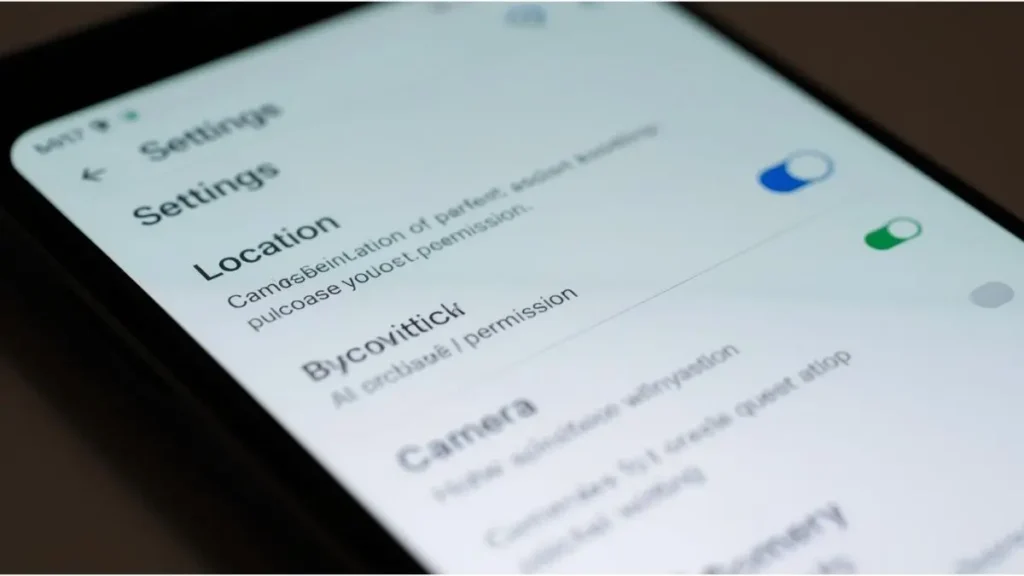
Method 1: Disable Location from the Camera App
- Open the Camera app.
- Tap the Settings icon.
- Look for “Location tags” or “Save location.”
- Toggle the option off.
Once disabled, new photos will no longer store GPS coordinates.
Method 2: Adjust App Permissions
If you prefer a broader control method:
- Open Settings on your Android device.
- Go to Apps.
- Select Camera.
- Tap Permissions.
- Choose Location.
- Set it to “Don’t allow.”
This prevents the camera app from accessing your location entirely.
Both methods effectively stop future geotagging.
Verifying That GPS Tagging Is Disabled
After turning off location tagging, it is wise to confirm the change.
- Take a new photo.
- Open it in your Gallery app.
- Tap Details or Info.
- Check whether location data appears.
If no coordinates or map preview is displayed, the setting has been successfully disabled.
Developing the habit of verifying settings ensures long-term digital hygiene.
Removing GPS Data from Existing Photos
Turning off GPS tagging only affects future images. Older photos may still contain embedded coordinates.
Here are safe ways to remove location metadata:
Using Google Photos
- Open Google Photos.
- Select the image.
- Tap the three-dot menu.
- Edit the location field and remove it.
Using Metadata Removal Tools
There are Android apps specifically designed to remove EXIF metadata. When choosing such tools, verify that they come from reputable developers and have strong reviews.
Before uploading sensitive photos, especially those taken at home, it is worth checking their metadata.
If you frequently share documents and images, our Digital Hygiene Checklist can help you build consistent privacy routines.
How Social Media Platforms Handle Location Metadata
Some social media platforms automatically remove certain metadata during upload. However, this behavior is not universal and may change over time.
Additionally:
- Sending images via messaging apps may retain metadata.
- Email attachments usually preserve original EXIF data.
- Cloud sharing links may maintain full file information.
Because policies vary across platforms, it is safer to remove location data before sharing rather than relying on third-party systems.
This proactive approach minimizes uncertainty.
The Balance Between Convenience and Privacy
GPS tagging can be useful. Many users enjoy viewing travel memories organized by location. For personal offline storage, this feature can enhance organization.
However, the key question is context.
If your images remain on your private device, geotagging may not present significant risk. The moment they are shared externally, the equation changes.
Privacy decisions should be intentional rather than default settings.
Turning off location tagging does not eliminate functionality. It simply removes automatic exposure.
Advanced Privacy Habits for Android Users
Turning off GPS tagging is a strong first step, but photo safety goes further.
Review App Permissions Regularly
Check which apps have access to your location, camera, and storage. Remove permissions that are unnecessary.
Use Secure Cloud Storage
If you back up images to the cloud, ensure two-factor authentication is enabled. This protects your account from unauthorized access.
Separate Personal and Work Images
Freelancers may benefit from separating personal photos from client-related images. This reduces the chance of accidental sharing.
For professionals handling client files, understanding document-level privacy is equally important. You may find our guide on Document Sharing and GDPR useful if you work with international clients.
Privacy is strongest when applied consistently across file types.
Common Myths About Android Photo Privacy
There are several misconceptions about photo safety.
“If I Delete a Photo, It Is Gone Forever”
Deleted photos may remain in trash folders or cloud backups temporarily.
“Turning Off Location Services Is Enough”
Some apps may still retain previously granted permissions.
“No One Checks Metadata”
While average users may not inspect metadata, it is easily accessible with basic tools.
Relying on assumptions can create blind spots. Verifying settings and cleaning metadata ensures better control.
Building a Long-Term Photo Privacy Routine
Digital privacy is not a one-time adjustment. It is an ongoing habit.
A practical routine could include:
- Turning off camera location tagging permanently
- Reviewing old albums for sensitive location data
- Cleaning metadata before public uploads
- Auditing app permissions every few months
Small, consistent actions prevent larger issues.
Photo safety is especially relevant for families sharing images of children, freelancers working remotely, and individuals who value location privacy.
Conclusion
Android smartphones make it easy to capture and share moments instantly. However, convenience should not come at the cost of privacy.
GPS tagging embeds precise location data into your photos. While useful for organization, it can reveal sensitive details when images are shared beyond your personal device. By turning off location tagging in your camera app, reviewing permissions, and removing metadata from older images, you significantly reduce unnecessary exposure.
The process is simple, but the impact is meaningful. Photo privacy does not require advanced technical skills. It requires awareness and consistent action.
Before sharing your next image, take a moment to consider what hidden data might be traveling with it. Have you checked your camera’s location settings recently?

Igor Greco is the founder of GrecO Metadados and has spent the last several years researching how hidden file data — metadata — exposes personal information that most people never intended to share.
His interest in metadata privacy started with a frustrating realization: a photo he shared online still carried the exact GPS coordinates of where it was taken. That moment led him to dig deeper into EXIF data, document properties, and how everyday apps handle the information attached to your files — often without telling you.
Since then, Igor has tested dozens of metadata removal tools across Android, iPhone, Windows, and Mac, and written guides focused on three groups he cares most about: parents sharing photos of their kids, freelancers sending documents to clients, and everyday users who simply want more control over their digital footprint.
Privacy, in his view, isn’t about hiding. It’s about deciding — on your own terms — what information travels with your files.