

Introduction
The first day of school. A class presentation. A sports event. A smiling photo in front of the school gate.
Sharing school photos is a proud and joyful moment for many families.
But before posting that picture online or sending it in a group chat, it’s worth pausing for a second. Not because school photos are dangerous — but because digital images often contain more information than we realize.
Many parents are unaware that photos can include hidden location data, identifiable landmarks, or contextual clues that reveal more than intended.
Protecting your child’s location does not require advanced technical skills.
It simply requires awareness and a few smart habits.
In this guide, you’ll learn:
- How school photos can reveal location information
- What metadata is and why it matters
- How visible background details can expose school identity
- Practical steps to reduce unnecessary exposure
- How to share confidently while protecting your child’s privacy
Let’s start with what most people overlook: hidden data.
What Information Can a School Photo Reveal?
When you take a photo with a smartphone, the image file may automatically store technical information.
This includes:
- Date and time
- Device model
- Image settings
- GPS location (if enabled)
This hidden information is called metadata.
More specifically, for photos, it is often referred to as EXIF data.
If you are unfamiliar with EXIF, you can review our detailed explanation here:
👉 https://grecometadados.com/what-is-exif-data/
Beyond metadata, school photos may also reveal:
- School logos on uniforms
- Street signs
- Building names
- Car license plates
- Neighborhood landmarks
Even without hidden data, visual clues can identify location.
Understanding both layers — hidden and visible — is the first step.
What Is GPS Metadata in Photos?
GPS metadata stores geographic coordinates inside the photo file.
If location services are enabled on your phone’s camera, the image may contain:
- Latitude
- Longitude
- Altitude
This means the exact spot where the photo was taken could be embedded in the file.
If you want a deeper explanation of how this works, read:
👉 https://grecometadados.com/what-is-gps-metadata-in-photos/
The important detail for parents is this:
If the image file is shared in its original format, location data may travel with it.
Not every platform handles metadata the same way.
That’s why awareness matters.
Do Social Media Platforms Remove Location Metadata?
Some platforms compress and re-encode images.
For example, you may want to understand how Instagram processes uploads:
👉 https://grecometadados.com/does-instagram-remove-metadata/
However, not all messaging apps behave identically.
In certain cases — especially when sending images as documents instead of compressed photos — metadata may remain intact.
This is particularly relevant in private school parent groups.
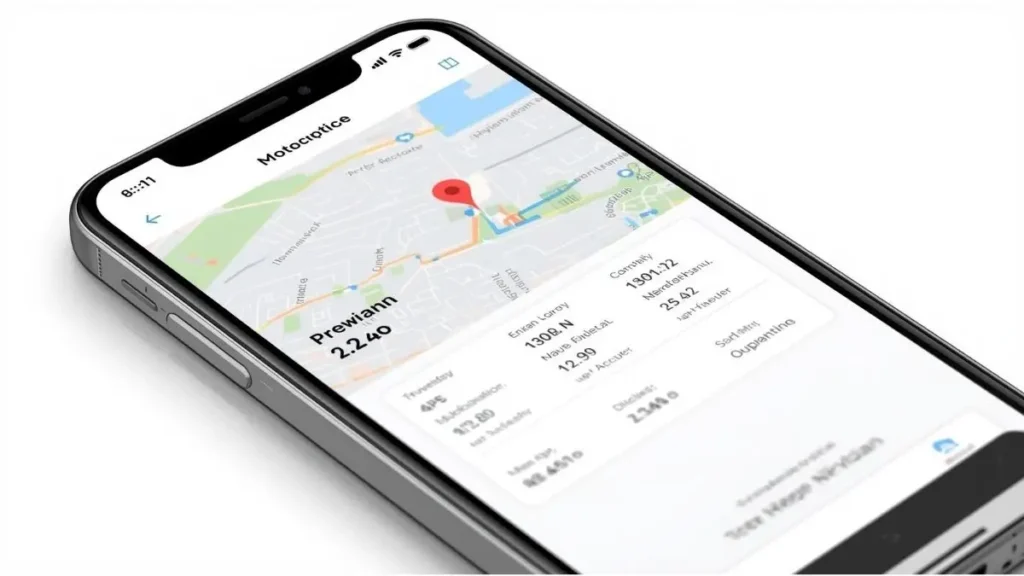
How to Check If Your School Photo Contains Location Data
Before sharing, you can quickly check.
On iPhone:
- Open Photos
- Select the image
- Tap the “i” information icon
- Review the map section
On Android:
- Open Google Photos
- Select the image
- Swipe up
- Review location details
If a map appears, GPS data is attached.
Checking takes only seconds.
Visible Clues Parents Often Overlook
Even if you remove metadata, the image itself may reveal identifiable details.
Common examples include:
School Name on Uniforms
Many schools print their name or logo directly on clothing.
A clear, high-resolution photo can make that readable.
Street Signs in the Background
Street names near the school entrance can appear in photos.
Classroom Boards
Sometimes classroom photos include whiteboards displaying the school’s name or location.
License Plates
Vehicles in the background may show identifiable information.
Being aware of these elements allows you to crop or blur when necessary.
Why Location Awareness Matters
This is not about assuming negative outcomes.
It is about limiting unnecessary public exposure.
Children deserve digital privacy just as adults do.
Once an image is posted publicly, it can be:
- Downloaded
- Shared
- Screenshot
- Archived
Even in private groups, images may travel beyond the original audience.
Practicing location awareness simply reduces long-term digital footprint.
If you’d like to explore how digital footprint works, review:
👉 https://grecometadados.com/what-is-digital-footprint/
How to Remove Location Data Before Sharing
If GPS data is attached, you can remove it.
On iPhone:
- Open Photos
- Tap the image
- Tap the info icon
- Tap “Adjust” under location
- Select “No Location”
On Android:
- Open Google Photos
- Tap the image
- Tap the three dots
- Edit location
- Remove or clear
This ensures the file no longer carries embedded coordinates.

Disable Camera Location for Future Photos
You can prevent GPS data from being added automatically.
On iPhone:
- Settings
- Privacy & Security
- Location Services
- Camera
- Choose “Never” or “While Using”
On Android:
- Settings
- Location
- App location permissions
- Camera
- Adjust accordingly
This does not affect photo quality.
It simply prevents coordinates from being embedded.
Sharing in WhatsApp School Groups: Extra Considerations
School parent groups are common.
When sharing photos in messaging apps:
- Avoid sending images as original files unless necessary
- Consider compressing images
- Avoid sharing full-resolution documents publicly
You may find additional guidance in our article:
👉 https://grecometadados.com/a-parents-checklist-for-safe-photo-sharing-on-whatsapp-groups/
Being mindful in group chats is just as important as on public platforms.
Cropping and Blurring: Simple Protective Steps
If a photo includes:
- School signage
- Address markers
- Identifiable building names
You can:
- Crop the image
- Blur sensitive areas
- Adjust framing
Many smartphone editing tools allow this quickly.
Small adjustments maintain the memory while reducing exposure.
Teaching Children About Photo Privacy
Older children and teenagers may share their own school photos.
Open conversations help them understand:
- Why location settings matter
- Why public accounts require extra awareness
- Why it’s wise to avoid posting real-time location
Digital education at home builds long-term responsibility.
Balancing Sharing and Privacy
You do not need to stop sharing school memories.
You can:
- Share privately with close family
- Adjust privacy settings on social media
- Remove metadata
- Avoid posting real-time locations
Privacy and celebration can coexist.
The key is intention.
A Quick Parent Checklist Before Posting School Photos
Before sharing, ask:
- Does this image contain visible school names?
- Is GPS metadata attached?
- Am I sharing in a public or private space?
- Is this being posted in real time?
- Would I be comfortable if this image remained online long-term?
If the answers feel comfortable, share confidently.
If not, make small adjustments.
Building Safer Family Sharing Habits
Protecting your child’s location does not require complex tools.
It involves:
- Reviewing metadata
- Checking backgrounds
- Adjusting app permissions
- Thinking before posting
These small habits strengthen digital awareness over time.
Conclusion
Sharing school photos is a meaningful way to celebrate milestones and connect with loved ones.
With a few mindful steps, you can continue sharing these moments while protecting your child’s location and privacy.
Check metadata.
Review visible clues.
Adjust location settings when necessary.
Digital awareness is not about fear.
It is about thoughtful sharing.
By taking small precautions today, you create safer digital habits that benefit your family in the long term.

Igor Greco is the founder of GrecO Metadados and has spent the last several years researching how hidden file data — metadata — exposes personal information that most people never intended to share.
His interest in metadata privacy started with a frustrating realization: a photo he shared online still carried the exact GPS coordinates of where it was taken. That moment led him to dig deeper into EXIF data, document properties, and how everyday apps handle the information attached to your files — often without telling you.
Since then, Igor has tested dozens of metadata removal tools across Android, iPhone, Windows, and Mac, and written guides focused on three groups he cares most about: parents sharing photos of their kids, freelancers sending documents to clients, and everyday users who simply want more control over their digital footprint.
Privacy, in his view, isn’t about hiding. It’s about deciding — on your own terms — what information travels with your files.